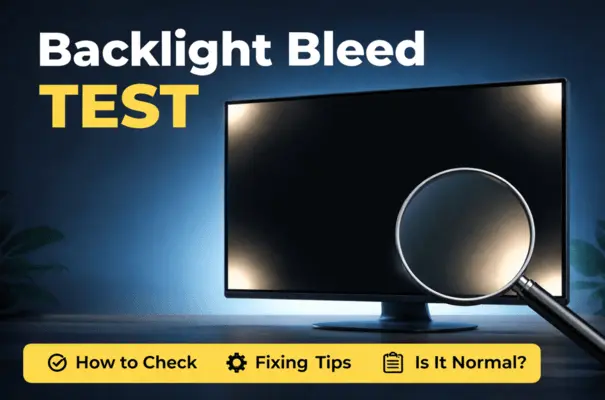
Screen bleed, or backlight bleeding, is a display panel issue. It occurs when light leaks from the edges or corners of your display. Run a screen bleed test to determine whether the uneven light on your display is normal or a defect that needs attention. A screen bleed test exaggerates conditions to make issues visible.
A screen bleed test makes this easier to see by using a black screen. The test doesn’t cause a bleed; it just reveals uneven lighting. Test your screen for bleed if you see bright light or bright edges on dark scenes. You want to run a screen bleed test to confirm the display’s light. Seeing light on a fully black screen does not automatically mean there is a problem. Interpretation matters more than the test itself.
How to Perform a Screen Bleed Test Using a Screen Checking Tool
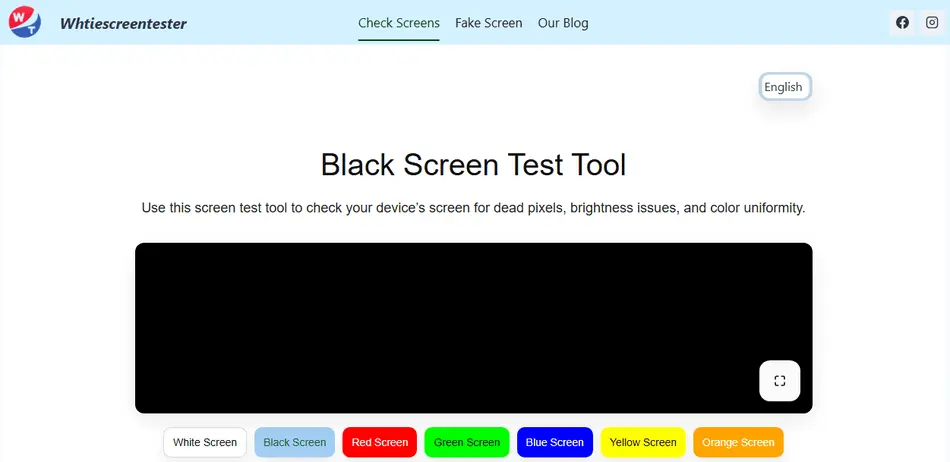
Visit whitescreentester.com, and you will see a white image tool. Click the black screen button, and the black display will open. Click the white button in the bottom-right corner of the black screen to show the full-screen result. Click on the button, and you’ll see a black screen covering the whole area. No matter whether you are checking on a mobile device or a display, the tool works perfectly on all devices. You can also make screenshots or even downlod performance image of your device. Not only black or bleed, but you can also check any color you want
What the Screen Bleed Test is and How a Backlight Bleed Works?
Screen bleed, also called backlight bleeding, happens when light from the display’s backlight leaks around the edges or corners of the panel. A screen backlight bleed test makes this leakage easier to see by displaying uniform dark colors. most commonly black, so uneven illumination becomes visible.
The test itself does not “create” bleed. It simply reveals how evenly the backlight is contained inside the display.
Screen bleed vs IPS glow vs clouding
Screen bleed is fixed in place. The bright areas stay in the same spots even when you move your head.
IPS glow is angle-dependent. It changes as you shift your viewing angle and often looks like a soft haze rather than a sharp bright patch.
Clouding appears as uneven brightness across larger areas, not just near edges or corners.
Distinguishing between these is essential before assuming your display is defective.
If my LCD screen is bleeding, can I fix it myself?
In most cases, backlight bleeding of an LCD cannot be fixed by the user because it’s related to the physical design and construction of the laptop’s display. However, some users report that applying gentle pressure around the edges or using screen calibration tools may help reduce minor bleeding. If the issue is severe, you should contact customer support for a repair or replacement. Attempting to fix the screen yourself can void warranties.
When You Should Run a Screen Bleed Test
New devices and return or warranty periods
The best time to test is immediately after buying a new device. During return or exchange windows, even borderline issues can be addressed without long-term consequences.
Symptoms that justify a screen light bleed test
Run a screen light bleed test if you notice:
- Bright corners during movies or dark scenes
- Uneven lighting that distracts during normal use
- Localized bright spots near edges
Situations where a black screen bleed test gives misleading results
A black bleeding test can be misleading if you:
- Test at maximum brightness
- Test only in a pitch-black room
- View the screen at extreme angles
These conditions amplify normal panel behavior and often cause unnecessary concern.
How to Test for Backlight Bleed Correctly

Preparing the environment for accurate testing
Choose a dim, not pitch-dark room. Clean the screen so that dust or smudges are not mistaken for uneven lighting. Set brightness to a realistic level you actually use.
Using a black screen to test backlight bleed properly
A black screen to test backlight bleed is effective because it removes on-screen content and highlights light leakage. Full-screen black is the standard baseline for testing.
Running a black screen backlight bleed test step by step
- Set brightness between 20% and 50%
- Display a full-screen black image
- View the screen straight-on
- Observe edges and corners for uneven light
- Slightly change the viewing angle to check for IPS glow behavior
Best brightness levels for a reliable bleed screen test
Testing at extreme brightness exaggerates results. A realistic brightness setting gives the most useful outcome in a bleed screen test.
How to Interpret Backlight Bleeding Test Results
What a mild bleed looks like in a black screen light bleed test
Mild bleed appears as a faint edge glow visible only on a black screen in low light. It usually disappears during normal use and is common on thin-bezel displays.
Signs of excessive or defective backlight bleed
Excessive bleeding shows as bright, distracting patches visible during everyday use, movies, or dark apps. These areas often look sharper and more intense than the normal glow.
When a screen backlight bleed test looks worse than it is
If the bleed disappears at normal brightness or lighting conditions, it is usually cosmetic rather than a defect.
Common Display Test Mistakes to Avoid
Is a bleeding display related to physical damage or manufacturing?
Screen bleeding can sometimes be caused by physical damage. For example, dropping the laptop or pressing too hard on the screen. It is not a manufactured defect. Improper display sealing or issues with the backlighting during production can lead to uneven light distribution. If the laptop has not been physically damaged and is still under warranty, it is best to contact customer support to explore a repair or replacement.
Testing only in pitch-dark rooms
This exaggerates a minor bleed that would never be noticed in real use.
Running a black screen bleed test at 100% brightness
Maximum brightness is unrealistic and makes most panels look worse than they are.
Is this screen bleeding or just IPS glow?
Bleeding screens and IPS glow are often confused. They are different phenomena. Backlight bleeding occurs when light leaks from the edges of the screen. It often appears as uneven patches, especially in dark or black images. IPS glow is more of a glowing effect that appears as light bleeding from the corners, but only under certain angles or lighting conditions.
IPS glow is common in IPS panels and in low-quality or budget displays. While both are technically related to light issues, IPS glow is often less noticeable and not a defect. Glow changes with angle. Bleed does not. Mixing these up leads to incorrect conclusions.
Backlight Bleed Severity Checklist
Visibility during real-world use
Ask whether you can see the bleed during movies, work, or gaming without looking for it.
Angle-dependent glow vs fixed bleed
If the bright area moves with your movement, it is likely a glow. It is not backlight bleeding.
Hotspots vs diffuse light leakage
Small and intense hotspots are more concerning than soft, diffuse edge glow.
What Causes Screen Bleeding Issues
Panel type and manufacturing tolerances
LCD panels are assembled in layers. Small alignment differences can allow light to escape, especially near edges.
Bezel pressure and chassis design
Uneven pressure from the frame or housing can prevent the backlight from being evenly blocked.
Why backlight Issues usually does not worsen over time
In most cases, the bleed is static. It does not spread unless there is physical damage or sustained pressure on the panel.
Many users run a black screen backlight bleed test incorrectly. They get confusing results with IPS glow or misinterpret what a black-screen light bleeding test is. This light test actually shows the right next step and decides it with confidence.
Is the amount of backlight leakage I have “normal” for a laptop?
Some level of backlight bleeding is normal for most laptops. The error is seen most in lower-end models. Minor bleeding around the edges or corners of the screen is common but should not be too noticeable during typical use. It is often seen when viewing light content. If the issue is noticeable during regular tasks (such as browsing or watching videos) or covers a large part of the screen, it may be considered excessive. The degree of bleeding considered “normal” can vary by manufacturer and panel type. Always check the specifications or customer reviews.
Can Screen Bleed Be Fixed? What Actually Works
Safe adjustments that may reduce visibility
Lowering brightness and improving ambient lighting by adjusting the viewing angle can reduce the visibility of the backlight.
Why most “fixes” for a screen light bleed test are cosmetic
Software changes and positioning do not repair the panel. They only mask the visual impact.
When replacement is the only real solution
If light leakage is visible during normal use and affects your experience, then panel replacement or exchange is the only true fix.
Is a red (or colored) backlight bleed normal?
No, red or colored backlight bleed is generally not normal. Backlight bleed should appear white or slightly yellow, as is typical of LCD backlighting. If the bleed has a distinct color (like red, blue, or green), it could indicate a defect in the screen’s backlighting system. Sometimes there are issues with the LED panels or the backlight distribution. If this occurs, it is best to consult the manufacturer for a possible repair or replacement
Device-Specific Screen Bleed Testing
Laptop screen bleed test
Laptop displays often show mild edge bleed due to thin bezels. Test at normal brightness before judging severity.
Monitor and TV backlight bleed testing
Larger panels may show more variation. Distance and seating position matter when interpreting results.
Mobile screen considerations
Phones can show uneven lighting, but pressure damage and panel defects are more common causes than classic backlight leaking.
Important Clarification about “Fetal Bleed Screen Test”
What the fetal bleed screen test is
The fetal bleed screen test is a medical laboratory screening method used in obstetrics.
Fetal bleed screen test
It detects fetal red blood cells in maternal blood to assess pregnancy-related risks.
Why a fetal bleed screen test is not related to display or backlight bleeding
Despite similar wording, it has no connection to screens, displays, or backlight technology. The terms overlap only linguistically, not technically. You can perform this test on a video, but videos aren’t recommended because they won’t work the way you want.
What to Do After a Screen Bleed Test
Decide whether to keep, return, or replace
If the light leakage is only visible in test conditions, keeping the device is usually reasonable. If it affects daily use, consider replacement.
Documenting results from a screen bleed test for warranty
Photograph the screen at normal brightness and angle. Avoid exaggerated test conditions when submitting claims.
When to stop worrying and move on
If the bleed is subtle, stable, and invisible in real use, it is safe to stop testing and enjoy your device.