
White Screen Test Tool
Use this white screen to find dead pixels, dust, tints and uneven brightness on any phone, laptop, monitor or TV.
White Screen
Why use a White Screen?
Use this free white screen tester to check any phone, laptop, monitor or TV for dead pixels, stuck pixels, dust, uneven brightness and color tints. It runs in your browser, so there is nothing to install and no sign-up. Pick a color above, go full screen and look closely at the whole display.
How to Use the White Screen Tester
- Clean your screen with a dry microfiber cloth, so dust is not mistaken for a dead pixel.
- Choose a color. Start with White, then switch to Black, Red, Green and Blue. You can also enter any HEX color code or pick a shade with the color picker.
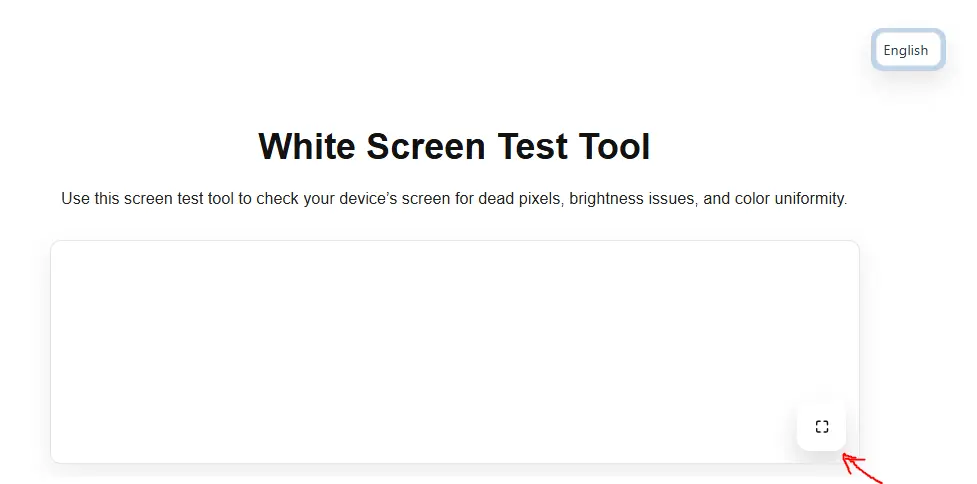
- Go full screen. Click the full-screen button in the bottom-right corner of the preview. On a computer, press Esc to exit. On a phone, tap the button again or use the back gesture.
- Inspect the display from normal viewing distance, then up close. Move slowly from one corner to the other.
- Download if needed. Choose 720p, 1080p, 4K or Fit Screen and click Download to save the color as an image you can use offline or as a wallpaper.
What Each Screen Color Shows
Each solid color makes a different type of problem easier to spot. Testing with just one color can miss defects, so run through all of them.
| Screen color | What it helps you find |
|---|---|
| White | Dead (black) pixels, dust, smudges, uneven brightness, yellow or pink tints |
| Black | Stuck or bright pixels, backlight bleed, IPS glow, light leaks at the edges |
| Red | Stuck pixels and dead red subpixels |
| Green | Stuck pixels, dead green subpixels, a purple tint when green is missing |
| Blue | Stuck pixels, dead blue subpixels |
| Yellow, orange, pink, purple | Color uniformity and tint across the panel |
| Custom HEX color | Any specific shade, for example a gray to check banding or OLED uniformity |
If you see light leaking from the edges on a black screen, read our step-by-step backlight bleed test guide to tell normal glow from a defect.
Dead Pixels, Stuck Pixels and Dust: How to Tell Them Apart
- Dead pixel: stays black on every color. It is most visible on the white screen. Dead pixels are a hardware fault and usually cannot be repaired.
- Stuck pixel: stays red, green, blue or white while the rest of the screen changes. It is most visible on the black screen. Stuck pixels sometimes recover on their own or after the screen has been on for a while. Our guide on how to fix a stuck pixel explains what to try.
- Dust or a smudge: looks blurry, may move when you wipe the screen, and changes when you look from a different angle. Clean the screen and test again.
Check your manufacturer’s warranty if you find dead or stuck pixels on a new device. Many brands have a pixel policy that says how many defective pixels are needed for a replacement, so note the color and position of each one.
A 5-Minute Screen Check for a New or Used Device
Use this checklist when you buy a new monitor, laptop, phone or TV, or before buying a used one:
- Set brightness to maximum and turn off any night light, blue light filter or color filter.
- Go full screen on White. Look for black dots, dark patches, yellow or pink areas and uneven brightness.
- Switch to Black in a dark room. Look for bright dots and light leaking from the edges.
- Switch to Red, Green and Blue. Look for any dot that does not match the color.
- Look at the screen from the sides and from above. Colors that shift a lot at an angle can point to a lower-quality panel.
- Press gently on any suspicious area. If the spot changes or spreads, it may be pressure damage.
- Take a photo of any defect with your phone so you can show it to the seller or manufacturer.
For phones, our guide to common phone screen problems explains what to do next. If you see lines instead of dots, read about lines on a phone screen or the black line on Dell laptop screens.
Other Ways to Use a Full White Screen
Screen Cleaning
Dust, fingerprints and streaks are hard to see on a dark or busy screen. On a full white screen they stand out, so you can wipe them away in one pass. Use a dry microfiber cloth and avoid spraying liquid directly on the screen. See our screen cleaning guide for what to use and avoid.
Light for Video Calls
A white screen on a second monitor, tablet or phone can work as a soft fill light for Zoom, Teams or Google Meet calls in a dark room. Place it slightly above eye level and in front of you. If the light looks too cold, try a warm off-white HEX color such as #FFF4E5.
Product Photos and Tracing
A bright tablet or laptop screen gives an even, white background for photographing small items. You can also place thin paper on a tablet showing a white screen to trace drawings or sketches.
Checking a Display Before Selling or Returning It
Running a quick white and black screen test before a return window closes, or before selling a device, gives you clear evidence of the screen’s condition.
Custom Colors and Image Downloads
Besides the nine preset colors, you can test any shade by typing a HEX code or choosing a color with the picker. This is useful for checking how a specific brand color looks on your display, or for testing gray shades for banding and uneven brightness on OLED screens.
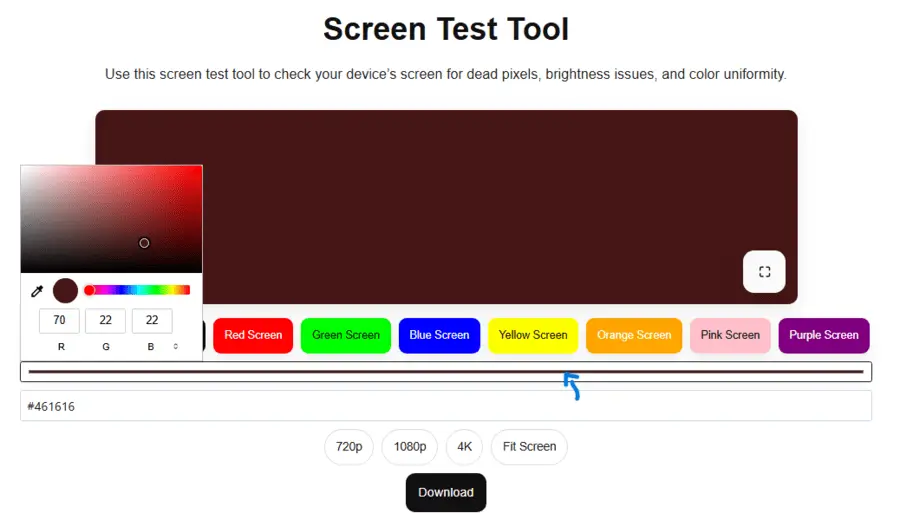
Select 720p, 1080p, 4K or Fit Screen and click Download to save the current color as an image. You can use it to test screens offline, as a solid-color wallpaper, or as a background in presentations and videos. Downloaded images are free for personal use; see our license page for details.
Tips for Accurate Results
- Let a monitor warm up for 10 to 15 minutes before judging brightness or uniformity.
- Test in a dim room for black screen checks and in normal light for white screen checks.
- Turn off adaptive brightness, Night Shift, Night Light and blue light filters during the test.
- Use full-screen mode so browser bars do not hide the edges of the display.
- On OLED phones and TVs, avoid leaving a bright static color on screen for hours. Learn how to check for OLED burn-in.
Frequently Asked Questions
What is a white screen test?
It is a check where you display a completely white image across the whole screen. Because every pixel should look the same, dead pixels, dust, tints and uneven brightness become easy to see.
How do I make my screen completely white?
Select White in the tool above and click the full-screen button. Press Esc on a computer or tap the button again on a phone to return to normal.
Does this work on phones, tablets and TVs?
Yes. It works in modern browsers on Android phones, iPhones, iPads, Windows and Mac computers, Chromebooks and smart TVs with a browser.
Can a white screen fix dead or stuck pixels?
No. A white screen helps you find them but does not repair them. Dead pixels are permanent. Stuck pixels sometimes recover on their own over time.
How many dead pixels are acceptable?
It depends on the manufacturer and the panel. Each brand publishes its own pixel policy, so check the warranty terms for your exact model.
Is a bright white screen bad for my eyes or my screen?
Looking at a white screen at full brightness for a few minutes is fine for most people, but take breaks if your eyes feel tired. Short tests will not damage your display, but avoid leaving a static image on an OLED screen for many hours.
Do you collect any data from the test?
No. The tool runs in your browser, and the colors and images are not uploaded anywhere. See our privacy policy for details about cookies and analytics.
About This Tool
White Screens Tester is built and maintained by John Albert. The tool and guides are kept simple on purpose: open the page, pick a color and test. Have a suggestion or found a bug? Contact us or read more about the site.
Last updated: October 8, 2026