
Red Screen Test Tool
Use this red screen to find dead red subpixels and stuck pixels, check color uniformity, or as a dim night light.
White Screen
Why use a White Screen?
This red screen fills your whole display with pure red (#FF0000) on any phone, laptop, monitor or TV. Only the red part of each pixel is lit, which makes it one of the best ways to find stuck green or blue subpixels. It is also a handy red light for night vision, photography, videos and reading in the dark. Click the full-screen button to start, or download a red image in HD or 4K.
How to Use the Red Screen
- Select Red in the tool above and click the full-screen button. On a phone, tap the preview.
- For testing, raise the brightness and look across the screen section by section.
- For light, dim the room and adjust brightness until it is comfortable.
- Press Esc on a computer, or tap the button again on a phone, to exit.
- To save an image, pick 720p, 1080p, 4K or Fit Screen and click Download.
Testing Your Display With Pure Red
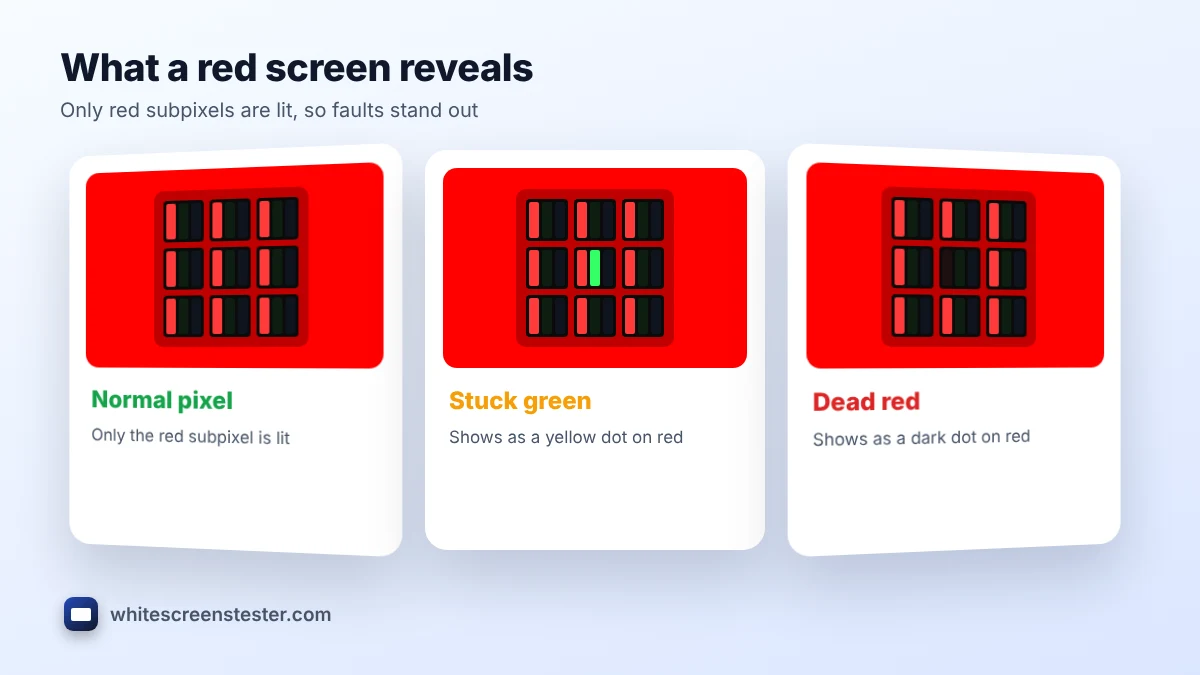
Every pixel is made of red, green and blue subpixels. Pure red switches the green and blue ones off, so any problem with them becomes easy to spot:
- Stuck subpixels: a green, blue, yellow, cyan or white dot means a green or blue subpixel is stuck on. Try our stuck pixel fixer on it.
- Dead red subpixels: a black dot that is not black on other colors means the red subpixel has failed.
- Red channel uniformity: darker corners, orange or pink areas, or patchy bands point to backlight or panel issues.
- Banding and clipping: on some screens, bright red looks flat or blotchy. Compare it with a smooth ramp in the color banding test.
For a complete check, cycle through red, green, blue, white and black. Our dead pixel test does that automatically.
Red Light for Night Vision and Astronomy
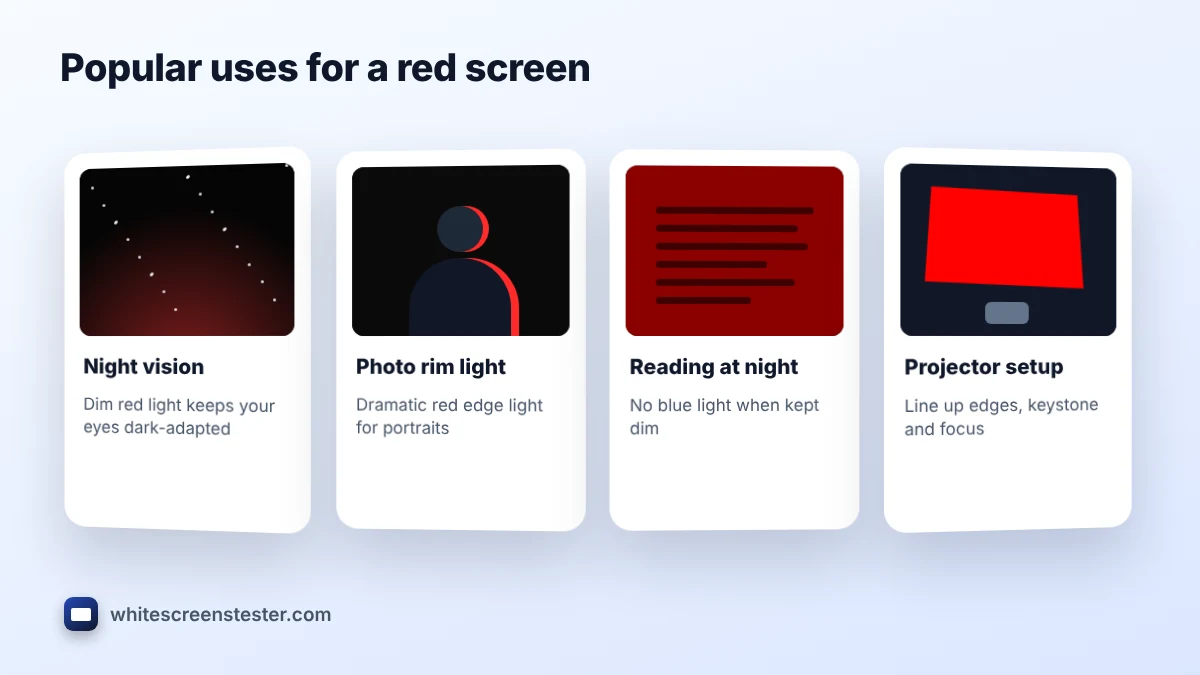
Your eyes take 20 to 30 minutes to fully adjust to the dark, and bright white light resets that in seconds. Dim red light affects night vision far less, which is why astronomers, pilots, night hikers and campers use red torches. Set this red screen to full screen and turn the brightness right down to read star charts, check a map or find gear without losing your dark adaptation. Keep it as dim as possible, because even red light becomes harsh at full brightness.
Red Light for Photos, Video and Social Media
- Color gel substitute: place a tablet or second monitor to the side of your subject for a dramatic red rim light in portraits.
- TikTok, Reels and YouTube: use the display as a moody red background or a bright accent or accent light behind you.
- Product shots: a red backdrop makes white, silver and black products stand out.
- Mixing colors: pair red on one side with blue on the other for a cinematic look. Open the blue screen on a second device.
For soft, even light on video calls, white or warm light usually looks more natural. Our video call light is better suited to that.
Other Uses for a Red Screen
- Reading at night: red light has no blue component, so a dim red page can feel gentler late in the evening.
- Projector setup: a solid color makes it easy to line up the edges, keystone and focus.
- Darkroom-style work: some black-and-white photo papers are not sensitive to red light. Screens are not certified safelights, so test with a scrap strip first.
- Alerts and mockups: designers use full red to preview warning screens and emergency signage.
- Red background downloads: save a plain red image for slides, wallpapers or video editing.
Choosing a Shade of Red
| Shade | HEX | Good for |
|---|---|---|
| Pure red | #FF0000 | Subpixel testing and strong light |
| Dark red | #8B0000 | Night vision and dim ambient light |
| Crimson | #DC143C | Backgrounds and design |
| Bright red-orange | #FF4500 | Warm accent light for videos |
How to Turn an iPhone or Android Screen Red
If you want a red tint on your phone without opening a web page, use the built-in filters. On iPhone, open Settings, Accessibility, Display and Text Size, Color Filters, then choose Color Tint and move the Hue slider to red. Add it to Accessibility Shortcut to switch it on with a triple-click. On Android, look for Color correction or Night Light in Display or Accessibility settings. The exact names differ by brand.
If your phone looks red when you did not set it up, a color filter, Night Shift or Night Light schedule is usually the cause. Turn them off first. A red tint that stays after that, or appears only in one area, can be a display fault worth checking with a repair shop.
Frequently Asked Questions
Can I use this to find dead pixels?
Yes. Pure red shows stuck green or blue subpixels as colored dots and dead red subpixels as dark dots. Check white, green and blue too for full coverage.
Does a red screen really help night vision?
Dim red light disturbs dark-adapted eyes much less than white or blue light. Keep the brightness low for the best effect.
Is this the same as a blue light filter?
No. Night Shift and Night Light only warm the colors of what you are already viewing. A full red page replaces everything with red, which gives you a dedicated red light source.
Is a red screen safe for OLED displays?
Short sessions are fine. As with any static image, avoid leaving it at full brightness for hours on an OLED, to reduce uneven wear.
Why does red look orange or pink on my monitor?
Vivid picture modes, a warm color temperature or a wide color gamut can shift pure red. Try the sRGB or Standard mode, or use our monitor calibration patterns.
Does this page use my camera or save data?
No. The color is drawn by your browser. Nothing is recorded or uploaded.