
Magenta Screen Test Tool
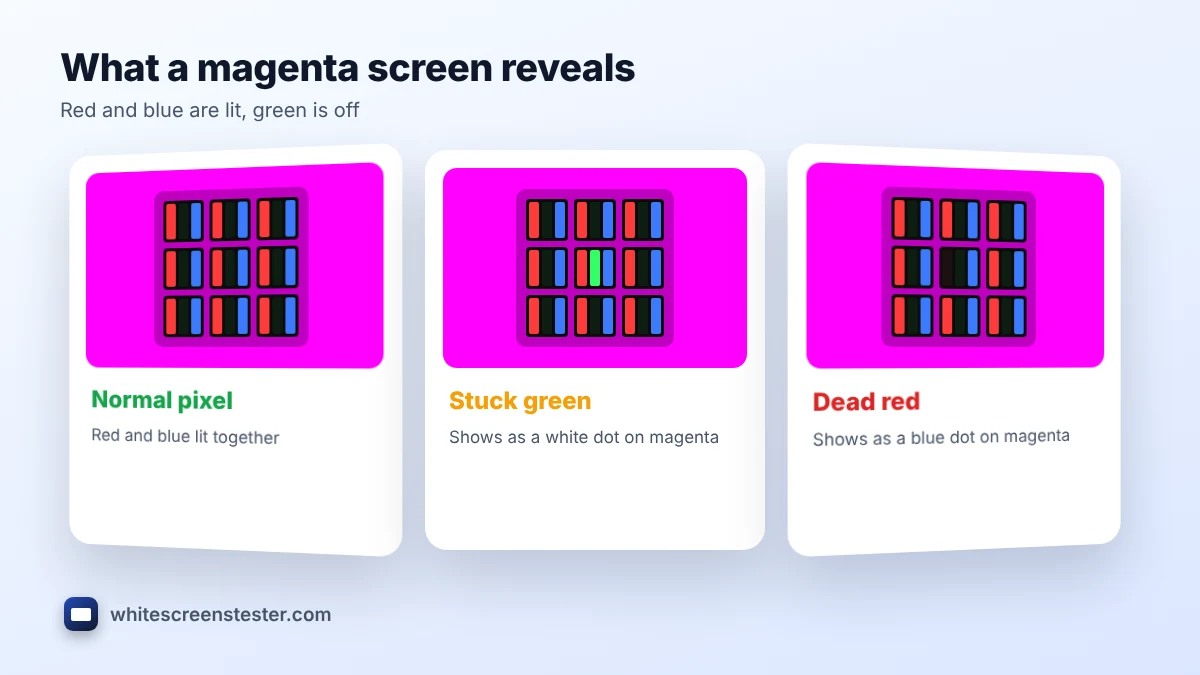
Use this magenta screen to find pixels with a stuck or dead green subpixel and to check how evenly red and blue mix.
White Screen
Why use a White Screen?
This magenta screen fills your display with vivid magenta (#FF00FF) on any phone, laptop, monitor or TV. Magenta is full red plus full blue with green switched off, so it is the clearest way to spot stuck green subpixels. It also makes a bold neon light for photos, streams and parties, and a striking background you can download in HD or 4K.
How to Use the Magenta Screen
- Select Magenta in the tool and click the full-screen button, or tap the preview on a phone.
- For testing, raise the brightness and scan the display slowly.
- For lighting, start at low brightness, because magenta is very intense.
- Press Esc, or tap again, to exit. Pick a size and click Download to save the image.
What Magenta Reveals on Your Display
| What you see on magenta | Likely cause |
|---|---|
| A white or pale green dot | The green subpixel is stuck on |
| A blue dot | The red subpixel is dead |
| A red dot | The blue subpixel is dead |
| A black dot | The whole pixel is dead |
- Red and blue balance: magenta should look evenly pink-purple. A shift toward red or purple in places shows uneven color.
- Uniformity: patches stand out clearly on such a saturated color.
Found a stuck dot? Try the stuck pixel fixer, or run the full dead pixel test.
What Color Is Magenta?
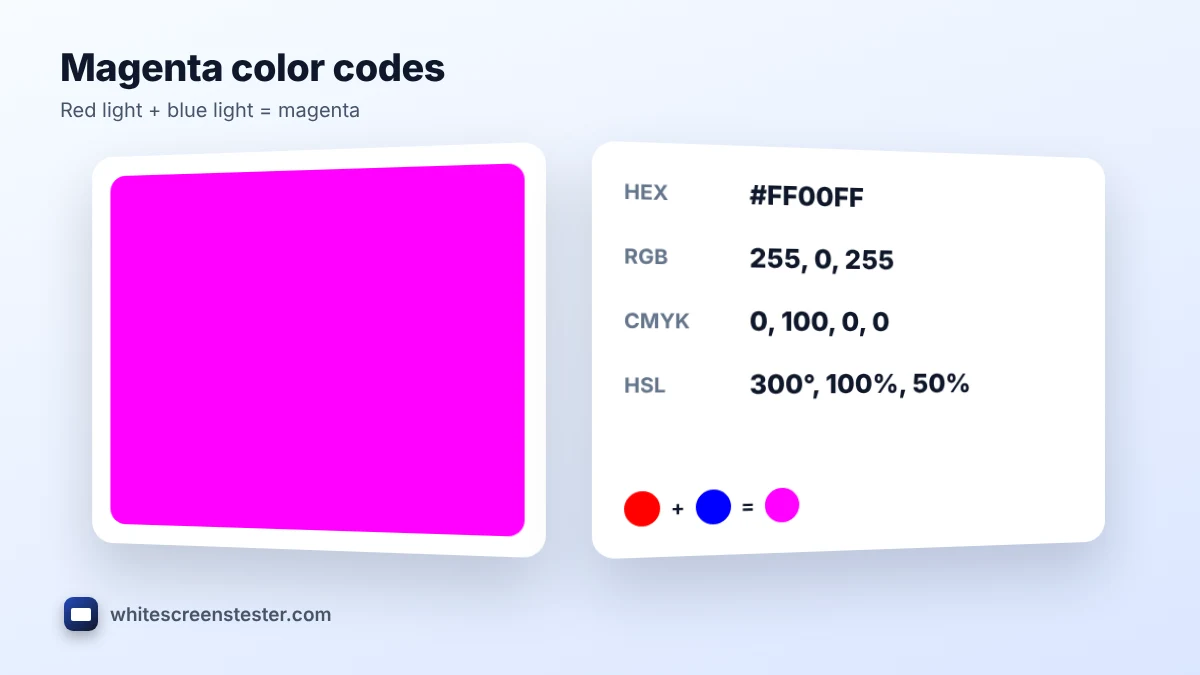
Magenta sits between red and blue. On screens it is made by lighting red and blue together at full strength. It is one of the CMYK printing inks and the complement of green.
| Format | Magenta value |
|---|---|
| HEX | #FF00FF |
| RGB | 255, 0, 255 |
| CMYK | 0%, 100%, 0%, 0% |
| HSL | 300°, 100%, 50% |
Is magenta a real color?
There is no single wavelength of light for magenta, unlike red or blue. Your brain creates it when your eyes see red and blue light together with no green. That makes it a non-spectral color, but it is just as real to our eyes as any other.
Ways to Use a Magenta Screen as Light
- Neon party light: a dim magenta display gives an instant club or synthwave glow.
- Two-tone portraits: magenta on one side and cyan or blue on the other is a popular neon look.
- Bold backgrounds: magenta grabs attention in thumbnails, slides and social posts.
- Plant-light look: many grow lights look magenta, so it is handy for themed photos. A screen is far too weak to grow plants, though.
Magenta vs Pink vs Purple
| Color | HEX | Difference |
|---|---|---|
| Magenta | #FF00FF | Full red and blue, no green |
| Pink | #FFC0CB | Pale, with all three subpixels lit |
| Purple | #800080 | Red and blue at half strength |
| Dark magenta | #8B008B | Deeper and darker |
Frequently Asked Questions
Is magenta a primary color?
It is a primary color in CMYK printing. On screens it is a secondary color made from red and blue light.
Why does magenta look purple on my monitor?
A weak red channel or a cool color mode pushes magenta toward purple. Try a Standard or sRGB mode at 6500K.
Is magenta light too strong for the eyes?
At full brightness it can be intense. Lower the brightness for lighting and take breaks.
Can I use it on an OLED screen?
Yes, for short sessions. Avoid leaving any static color at full brightness for hours on an OLED.