
Gray Screen Test Tool
Use this gray screen to check screen uniformity, banding, dirty screen effect and uneven backlight on any display.
White Screen
Why use a White Screen?
This gray screen tool fills your display with solid mid gray (#808080). Gray is made from red, green and blue at equal, half strength, so every subpixel is lit at the same level. That makes it the best color for checking whether your screen shows brightness and color evenly from edge to edge. It is also a neutral background for photos, design and video calls.
How to Use the Gray Screen
- Choose Gray in the tool above and click the full-screen button, or tap the screen on a phone.
- Set brightness to your normal level and look across the whole display, section by section.
- Press Esc on a computer or tap the button again on a phone to exit.
- Switch to other colors to compare. A problem that only appears on one color tells you which part of the pixel is affected.
What a Gray Screen Shows
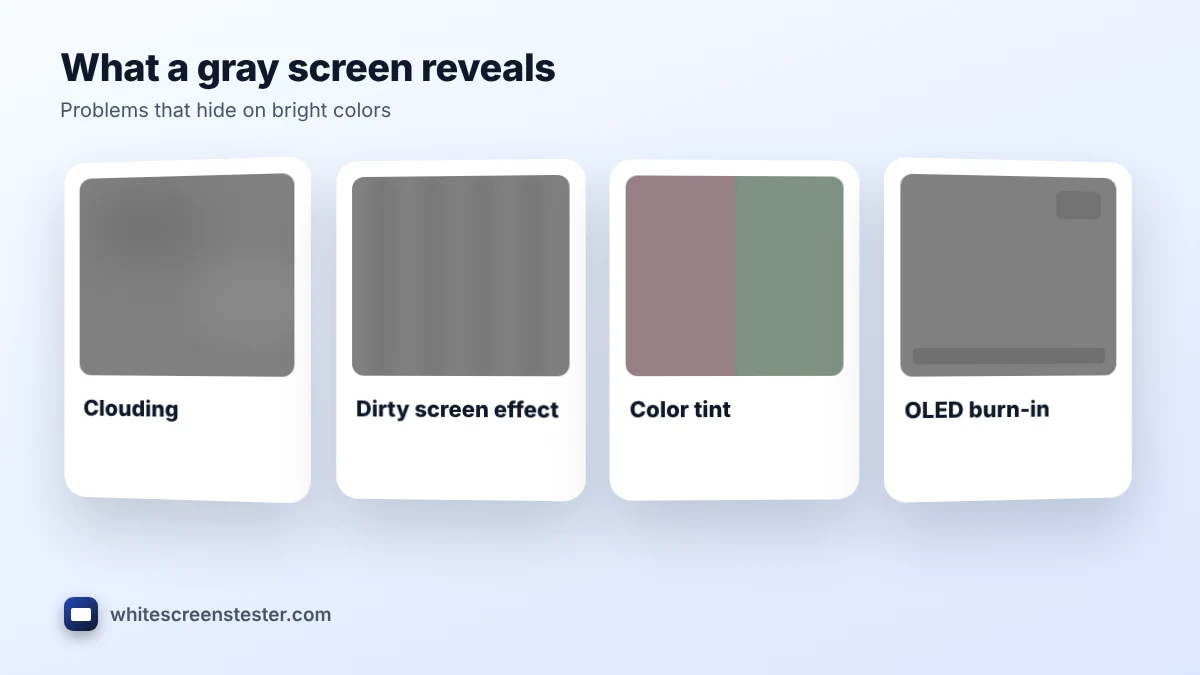
- Uneven backlight: darker corners, brighter edges or cloudy areas stand out on flat gray.
- Dirty screen effect: blotches or vertical bands that become obvious when you scroll or pan, common on large TVs and monitors.
- Color tint: parts of the screen that look slightly pink, green or blue instead of neutral.
- OLED burn-in: faint shapes of logos, taskbars or game HUDs that have been shown for a long time. See our OLED burn-in guide.
- Pressure marks: lighter or darker spots where the panel has been pressed.
For a detailed check at several gray levels, use our screen uniformity test. To spot steps in gradients, try the color banding test.
Which Shade of Gray Should You Use?
| Shade | HEX | Best for |
|---|---|---|
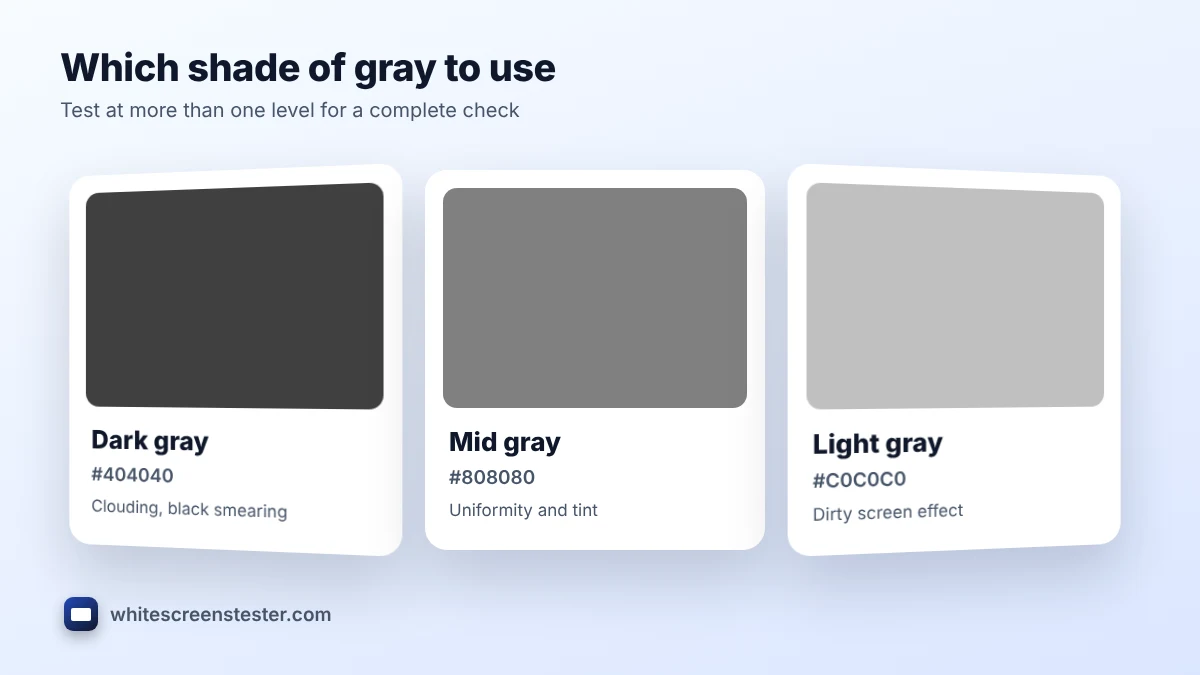
| Dark gray (25%) | #404040 | Spotting clouding and black smearing in dim scenes |
| Mid gray (50%) | #808080 | General uniformity and tint checks |
| Light gray (75%) | #C0C0C0 | Dirty screen effect and pressure marks |
| Photo gray | #777777 | A neutral backdrop close to an 18% gray card |
Testing at two or three levels gives a more complete picture than one shade alone, because some panels are even at mid gray but patchy at dark gray. Start with mid gray, then check dark gray in a dim room and light gray in normal room light.
Gray vs White for Testing
A white screen is better for finding dead pixels and dust, because a dark dot is easy to see against bright white. Mid gray is better for uniformity, because full white can be so bright that small brightness differences disappear. Many people run both, one after the other, before they decide whether a panel is good enough to keep.
Using a Gray Background
A neutral gray background is popular with photographers and designers, because it does not tint the colors of the subject. Download the gray image in 720p, 1080p or 4K with the buttons under the tool, then use it as:
- A product photo backdrop that keeps colors true.
- A calm wallpaper that is easy on the eyes.
- A neutral video call background.
- A reference backdrop when you check prints or paint colors.
Some people spell it grey. Both mean the same color. For a lighter or darker shade, enter a HEX code such as #A9A9A9 or #D3D3D3 in the custom color box.
Frequently Asked Questions
What HEX code does this gray screen use?
It uses #808080, which is close to a 50 percent gray. You can test lighter or darker grays with the custom HEX option.
Is some unevenness on gray normal?
A little is normal on most LCD screens, especially near the edges. Strong patches or bands that you also notice in films or games may be worth reporting while you can still return the screen.
Can a gray screen fix burn-in?
No. It only makes burn-in easier to see. Some OLED TVs and phones have a pixel refresh feature that can reduce temporary image retention.
Why does gray look slightly blue or pink on my monitor?
The color temperature or white balance may be off. Try a 6500K or sRGB mode, or follow our screen tint guide for common causes.
Which screens should I test after gray?
Try the black screen for light leaks and the dead pixel test for single faulty pixels.