
Video Call Light
This free video call light turns a spare monitor, laptop, tablet or phone into a soft, adjustable light for Zoom, Microsoft Teams, Google Meet, FaceTime and WhatsApp calls. Pick a warm, natural or daylight tone, set the brightness, and switch on the ring light shape for round catchlights in your eyes. It works as an online ring light in any browser, so you can look brighter on camera without buying extra gear.
How to Use Your Screen as a Video Call Light
- Open this page on a second device, such as a tablet, an old phone or a second monitor.
- Choose Natural to start. It matches most indoor lighting.
- Turn the device brightness up to maximum, then fine-tune with the Brightness slider here.
- Click Full Screen.
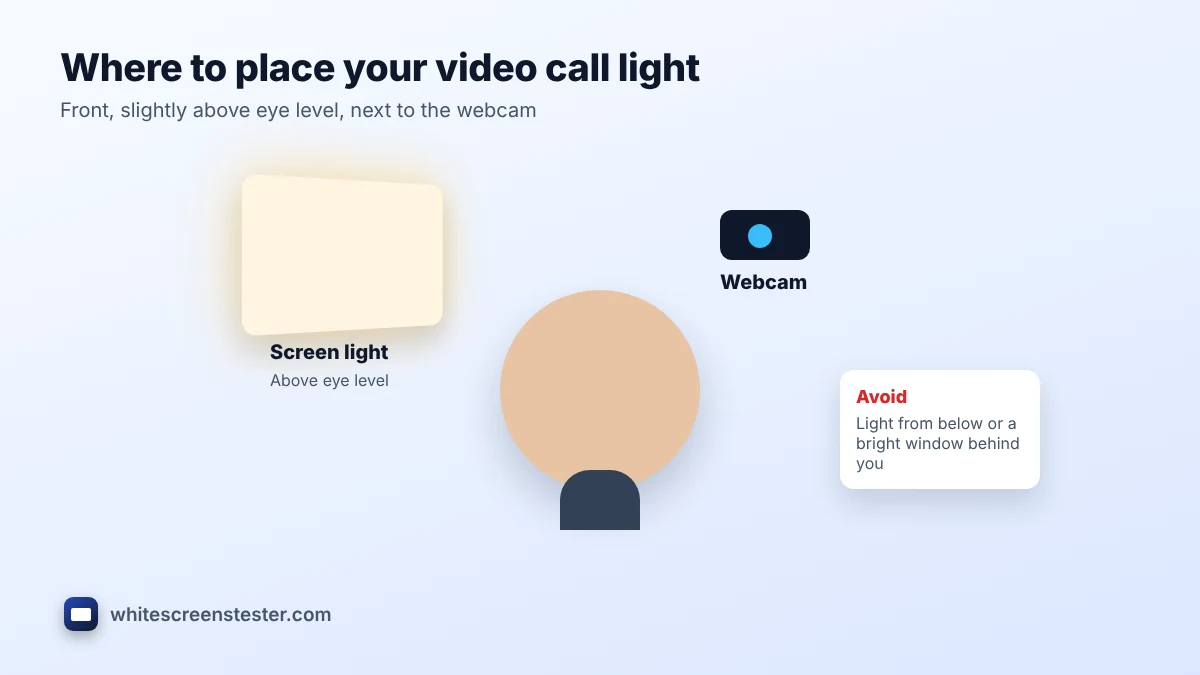
- Place the screen in front of you, slightly above eye level and just to one side of your webcam.
- Check your camera preview and adjust the warmth until your skin looks natural.
Choosing the Right Color Temperature
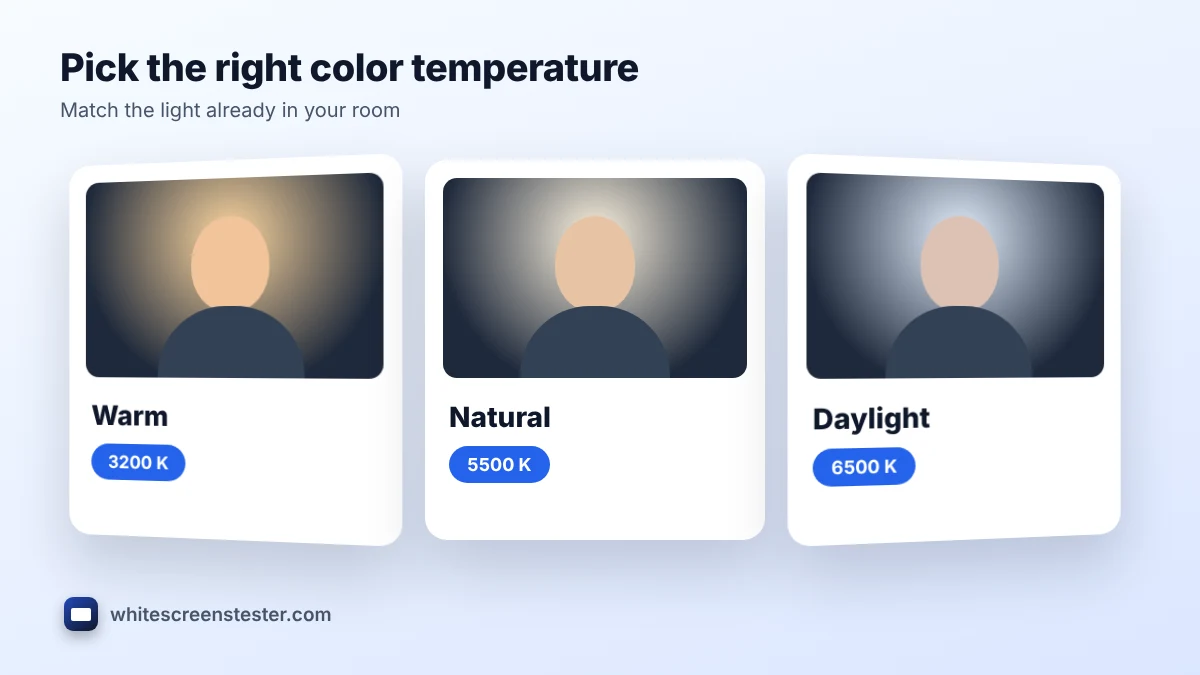
| Setting | Kelvin | Best for |
|---|---|---|
| Warm | About 3200 K | Evening calls and rooms with yellow bulbs |
| Natural | About 4500 to 5500 K | Most offices and mixed lighting |
| Daylight | About 6500 K | Rooms lit by a window during the day |
Mixing a cool light on your face with warm room bulbs makes skin look blue on one side and orange on the other. If your face looks too yellow, move the slider toward daylight; if it looks gray or blue, move it toward warm.
Where to Place the Light
Placement matters more than brightness. A well-placed video call light at moderate brightness looks better than a bright one in the wrong spot.
- In front, slightly above eye level: the most flattering angle. Light from below makes shadows under the eyes look strange.
- Close to the webcam: a screen just beside or behind the camera lights your face evenly and keeps your eyes looking toward the lens.
- About an arm's length away: closer is brighter and softer; too close can cause glare on glasses.
- Window in front, not behind: a bright window behind you turns you into a silhouette that no light can fully fix.
Online Ring Light vs a Real Ring Light
A real ring light is brighter and better for filming in a dark room or recording videos for social media. For everyday calls, a screen used as a video call light is often enough, because a webcam only needs your face to be a little brighter than the background. A large monitor or tablet makes a softer light than a phone, since a bigger light source gives gentler shadows. The ring light shape on this page adds a round reflection in your eyes, the same look that makes ring lights popular.
Tips for Wearing Glasses
Glasses can reflect the screen as a bright rectangle. Raise the light a little higher and move it slightly to one side, so the reflection falls outside the lenses. Lowering the brightness and using the ring light shape also make reflections smaller and less obvious. Small changes in angle usually solve it.
Other Ways to Use the Light
The same page works as a soft fill light for selfies, a small light for product photos, or a reading light in the dark. For a plain bright white background, use the white screen on our home page. For tracing drawings, our screen light box guide explains the best settings.
Frequently Asked Questions
Does the video call light work on a laptop with one screen?
It works best on a second device, because the call needs your main screen. On one screen, put the light in a separate browser window to one side of the call.
Will it drain my phone or tablet battery?
Running the video call light at full brightness uses more power, so plug the device in for long calls.
Is the light bright enough at night?
In a dark room, yes for most webcams. If your image is still grainy, add a desk lamp behind the screen and use both.
Which apps does it work with?
All of them. The page simply lights your face, so it works with Zoom, Teams, Google Meet, Skype, FaceTime, WhatsApp and any webcam app.