
Cyan Screen Test Tool
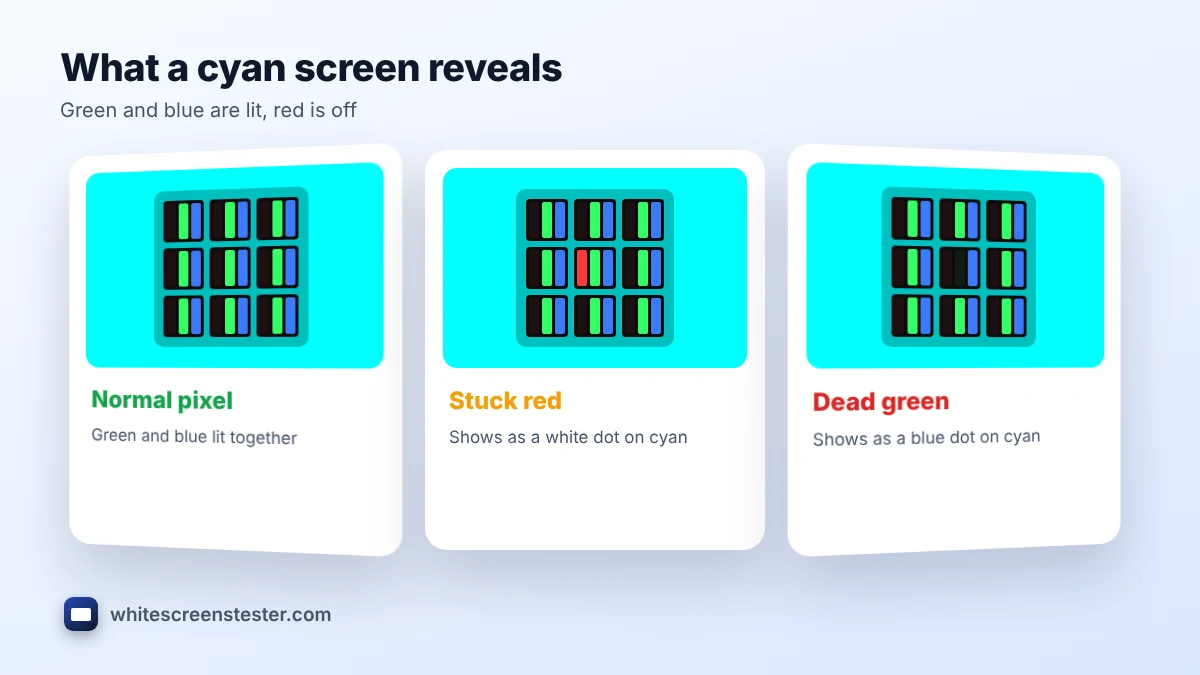
Use this cyan screen to find pixels with a stuck or dead red subpixel and to check color balance between green and blue.
White Screen
Why use a White Screen?
This cyan screen fills your display with pure cyan (#00FFFF) on any phone, laptop, monitor or TV. Cyan is full green plus full blue with red switched off, which makes it a precise test for red subpixels and a bright, cool light for photos and videos. You can also download a cyan background in HD or 4K.
How to Use the Cyan Screen
- Select Cyan in the tool and click the full-screen button, or tap the preview on a phone.
- For testing, raise the brightness and check the display section by section.
- For lighting, lower the brightness until it suits the room.
- Press Esc, or tap again, to exit. Pick a size and click Download to save the image.
What Cyan Reveals on Your Display
| What you see on cyan | Likely cause |
|---|---|
| A white or pale dot | The red subpixel is stuck on |
| A blue dot | The green subpixel is dead |
| A green dot | The blue subpixel is dead |
| A black dot | The whole pixel is dead |
- Green and blue balance: cyan should look like a clear aqua. If it looks more green or more blue in places, the panel color is uneven.
- Uniformity on a bright color: darker or tinted patches point to backlight problems.
Found a stuck dot? Try the stuck pixel fixer, or run the full dead pixel test.
What Color Is Cyan?
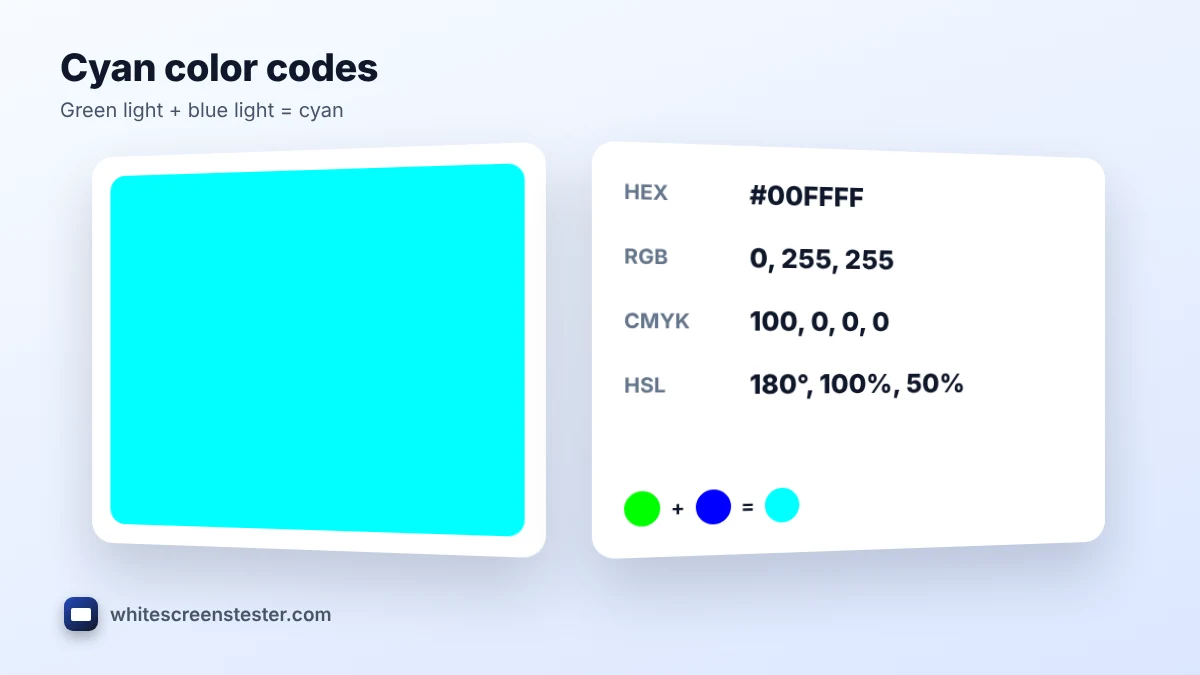
Cyan is the color halfway between green and blue. On screens it is made by lighting green and blue together at full strength. In printing it is one of the four CMYK inks, alongside magenta, yellow and black, and it is the opposite, or complement, of red.
| Format | Cyan value |
|---|---|
| HEX | #00FFFF |
| RGB | 0, 255, 255 |
| CMYK | 100%, 0%, 0%, 0% |
| HSL | 180°, 100%, 50% |
Ways to Use a Cyan Screen as Light
- Cool accent light: a cyan display beside your subject gives a fresh, futuristic edge to portraits and product shots.
- Orange and teal look: pair it with a warm orange light on the other side for a cinematic contrast.
- Tech and gaming backgrounds: cyan suits sci-fi, tech and esports themes.
- Underwater mood: dim cyan light adds a calm, ocean-like glow to a room or video.
Cyan Backgrounds and Wallpapers
Download a plain cyan image for slides, thumbnails, phone wallpapers or video edits. Dark navy or black text stays readable on bright cyan, while white text works better on the darker shades below.
Shades of Cyan
| Shade | HEX | Look |
|---|---|---|
| Cyan | #00FFFF | Bright aqua |
| Light cyan | #E0FFFF | Very soft, pale |
| Dark cyan | #008B8B | Deep, muted |
| Teal | #008080 | Darker blue-green |
Frequently Asked Questions
Is cyan the same as light blue?
No. Cyan has no red and looks green-blue. Light blue includes red and looks paler and softer.
Is cyan a primary color?
It is a primary color for printing (CMYK). On screens the primary colors are red, green and blue, and cyan is made from green plus blue.
Why does cyan look green on my monitor?
A weak blue channel or a warm color mode pushes cyan toward green. Try a Standard or sRGB mode at 6500K.
Can I use it on an OLED screen?
Yes, for short sessions. Avoid leaving any static color at full brightness for hours on an OLED.