
Backlight Bleed Test
Click the screen to switch between black levels. Press Esc to exit.
This free backlight bleed test fills your screen with black or near-black so you can see light leaking around the edges of an LCD monitor, laptop or TV. Choose pure black, 4% or 8% gray, add a 10-second delay to turn off the lights, and check the panel in full screen. It runs in your browser, so you can test a new screen in a minute, while you can still return it.
How to Do a Backlight Bleed Test
- Let the screen warm up for 10 to 15 minutes and clean off any dust.
- Set brightness to the level you normally use, not maximum. Very high brightness exaggerates leaks.
- Pick Pure black, tick the 10-second delay, click Start Full-Screen Test and switch the room lights off.
- Look at the edges and corners from your normal seat, then step back a meter.
- Click to switch to Near black (4%) and Dark gray (8%). Leaks that stay visible in dark scenes matter more than those you only see on pure black.
- Press Esc to exit.
What the Backlight Bleed Test Shows
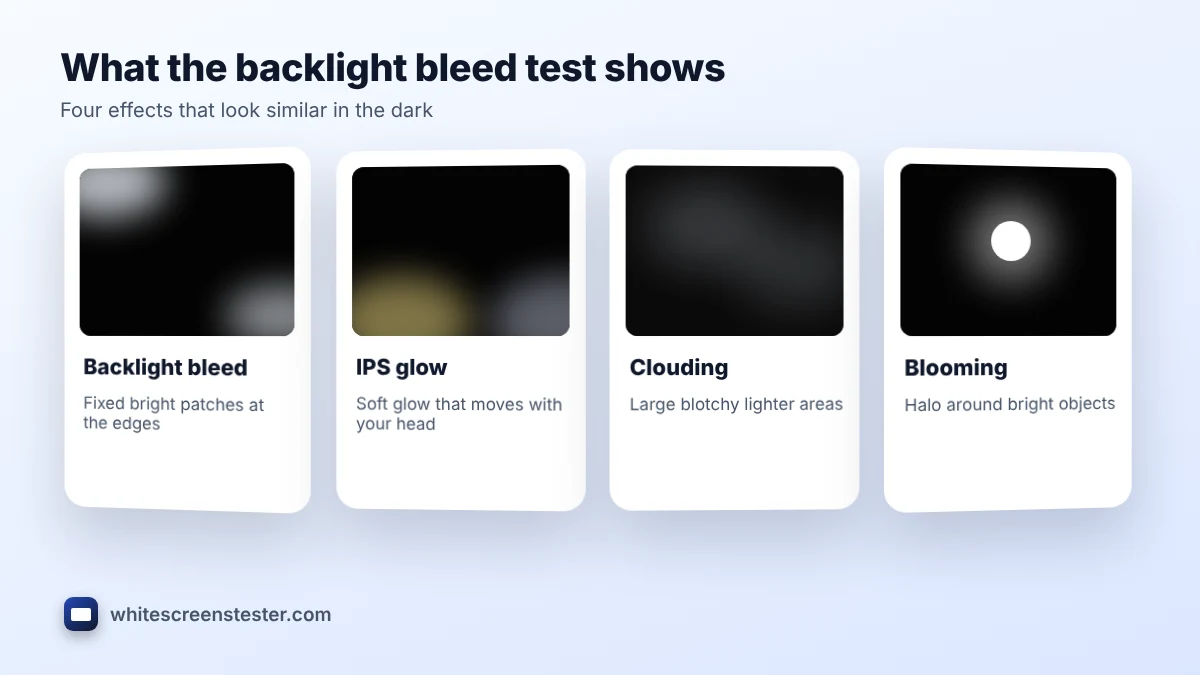
| What you see | What it is | Moves with your head? |
|---|---|---|
| Bright patches or streaks at the edges or corners | Backlight bleed | No |
| A soft silver or yellow glow in the corners | IPS glow | Yes |
| Large blotchy lighter areas across the panel | Clouding | No |
| Halos around bright objects in dark scenes | Blooming (local dimming) | No |
Not sure which one you have? Our guide backlight bleed vs IPS glow explains the head-move check in detail.
Why the Backlight Bleed Test Has Three Black Levels
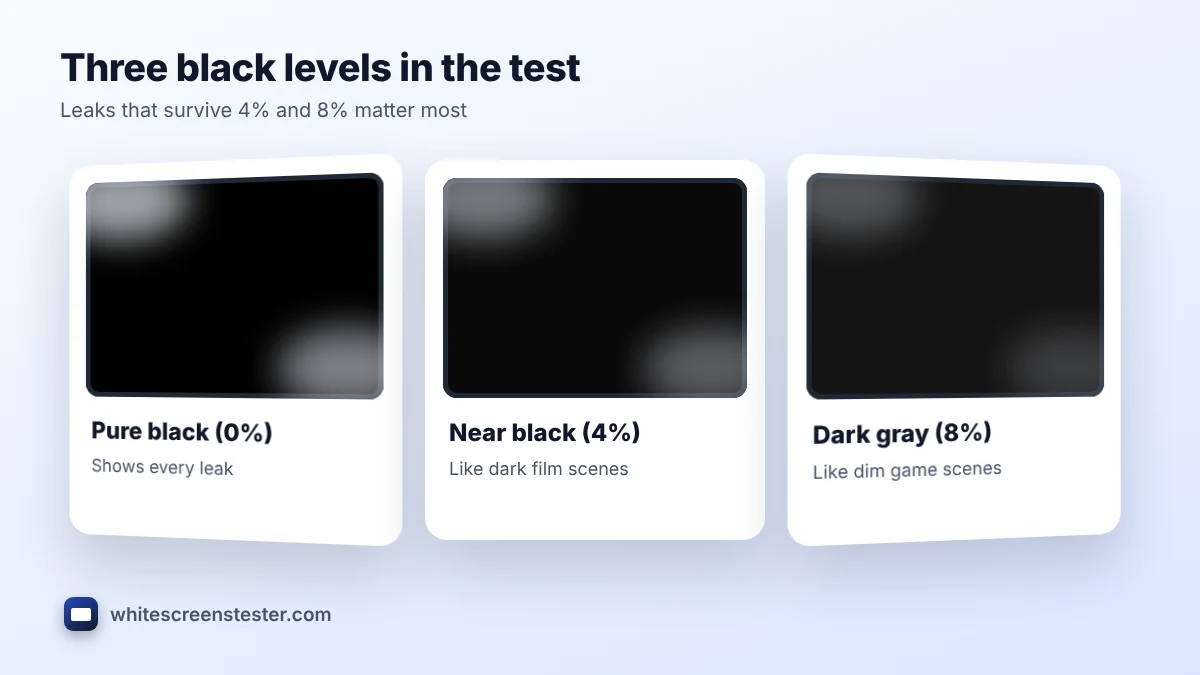
Pure black shows every leak, even ones you would never notice in real use. Near black (4%) and dark gray (8%) are closer to the dark scenes in films and games. If the leak disappears at 4% or 8%, it is unlikely to bother you day to day. If it stays bright, it is worth raising with the seller.
How to Photograph Backlight Bleed
Cameras exaggerate leaks, especially phone night modes, so a photo can look much worse than the screen does in person. To get a fair photo for a return or warranty claim:
- Use the normal photo mode, not night mode, and turn off HDR.
- Lock the exposure so the screen looks about as dark as it does to your eye.
- Shoot straight on from about 1.5 to 2 meters, at your usual brightness.
- Take one photo on pure black and one on the 8% setting to show how it looks in real content.
Is Backlight Bleed Normal?
Almost every LCD lets a little light through at the edges, and manufacturers usually accept small amounts. Strong bleed that you see during normal films or games, or a bright streak along one edge, is a fair reason to ask for an exchange while you are inside the return window. OLED screens have no backlight, so they cannot bleed at all; on those, run the screen uniformity test instead.
For causes and fixes, such as easing bezel pressure or adjusting brightness, read backlight bleeding: causes and how to fix it.
Other Checks for a New Screen
A backlight bleed test is one part of a full check. Also run the dead pixel test and the black level test. Our new monitor checklist puts all the tests in order.
Frequently Asked Questions
Is this the same as a screen bleed test?
Yes. Screen bleed, light bleed and backlight bleed all describe light leaking from the backlight around the edges of an LCD.
Does the backlight bleed test work on laptops and TVs?
Yes. Open it in the browser on the device. On a TV, use the TV browser or connect a laptop over HDMI.
Does it work on OLED screens?
OLED pixels make their own light, so there is no backlight to leak. You will see a uniform black.
Why does the mouse pointer disappear?
It is hidden in full screen so it does not distract from the test. Move the mouse to show it again.
Can backlight bleed get worse over time?
It can change a little as the panel and frame settle, and it sometimes improves after a few weeks. Big changes are uncommon.