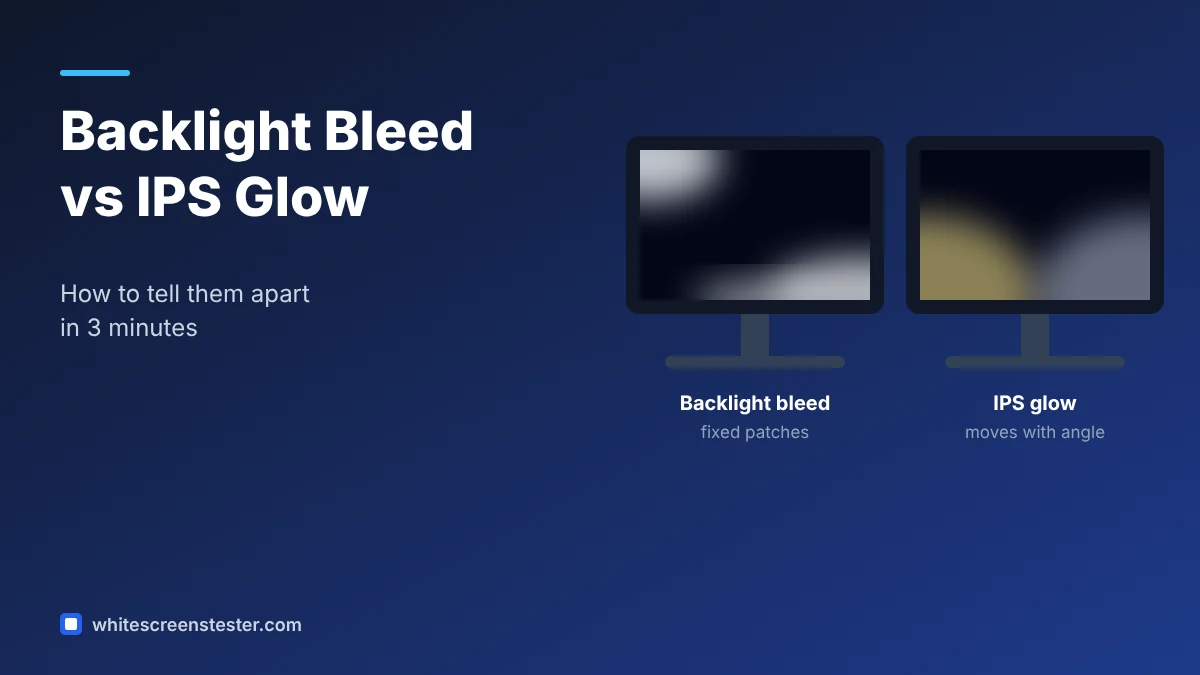
You turn off the lights, open a black screen, and see pale patches of light on your new monitor. Is the panel faulty, or is this normal? The answer depends on whether you are looking at backlight bleed or IPS glow. They look similar in a dark room, but they have different causes, and only one of them is usually a reason to return a monitor.
This guide explains how to tell them apart in a few minutes using a black screen and a change of viewing angle.
What Is Backlight Bleed?
LCD monitors, laptops and TVs do not make their own light. A backlight sits behind the panel, and the liquid crystal layer blocks or lets that light through. Backlight bleed happens when light leaks around the edges of the panel, usually because the frame or bezel presses unevenly on it or because of small gaps from assembly.
Typical signs of backlight bleed:
- Bright, cloudy or wedge-shaped patches along the edges or in the corners
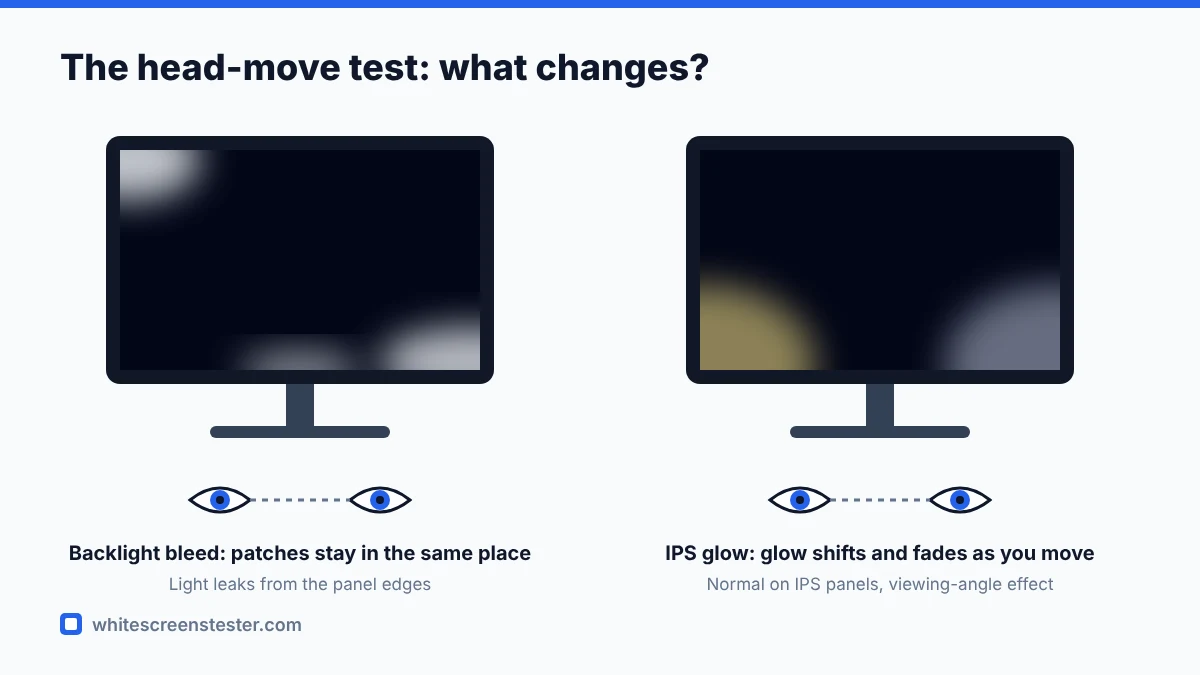
- The patches stay in the same place and the same shape when you move your head
- The patches are visible from straight on, not just from an angle
- Often more noticeable on a black screen at high brightness
Bleed can affect IPS, VA and TN panels. It is a physical issue with the panel or its frame, so it does not go away with settings.
What Is IPS Glow?
IPS glow is a property of IPS panel technology. When you look at an IPS screen from an angle, some light passes through the panel even when it shows black. The result is a silvery, white or slightly yellow glow, usually strongest in the corners closest to your viewing angle.
Typical signs of IPS glow:
- A soft glow in one or more corners on a dark or black image
- The glow changes shape or intensity when you move your head, or when you step back
- It gets weaker when you sit further away and look at the screen straight on
- It appears on almost every IPS panel to some degree, including expensive ones
VA panels have a similar effect sometimes called “VA glow” or black crush at angles, but it is usually less obvious.
How to Tell Them Apart: A 3-Minute Test
- Set the room as dark as you can and wait a minute for your eyes to adjust.
- Open our backlight bleed test or a full black screen and switch to full screen.
- Set brightness to the level you normally use. Very high brightness exaggerates both effects, so also check at your everyday setting.
- Sit at your normal distance and note where any light patches appear.
- Now move your head slowly left, right, up and down. Then step back one or two metres.
- If the patches move, shrink or change colour as you move, you are mostly seeing IPS glow. If they stay fixed in shape and place, it is backlight bleed.
Taking a photo can help you compare later, but be careful: phone cameras boost exposure in the dark and make both effects look much worse than they are. Judge with your eyes first.
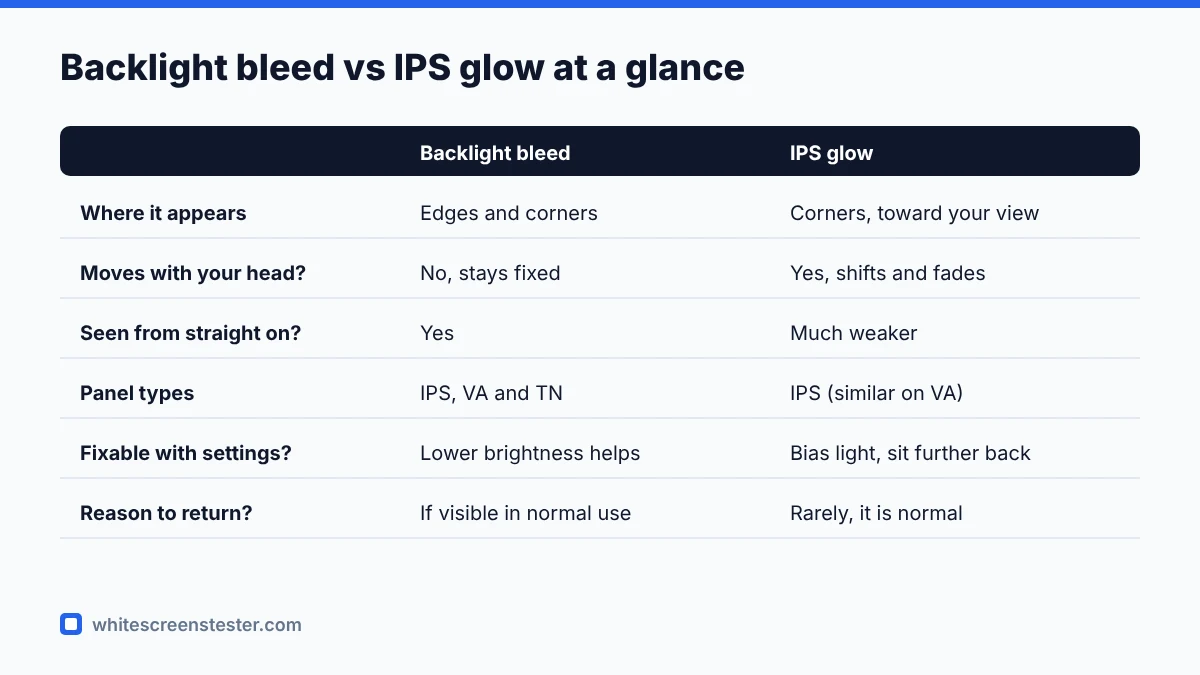
Is It Bad Enough to Return?
IPS glow is considered normal by manufacturers and is rarely accepted as a defect. Backlight bleed is a different story. A small amount of bleed in the corners is common and may only be visible on a black screen in a dark room. Strong bleed that you can see in normal use, for example during dark film scenes or games, is a reasonable reason to ask for an exchange within the return window.
A useful rule: if you only notice it when you go looking for it with a black screen at maximum brightness, it is probably within tolerance. If it bothers you in content you actually watch, contact the seller while you can still return the monitor.
Can You Reduce Backlight Bleed or IPS Glow?
For IPS glow
- Add some ambient light behind or near the monitor. Bias lighting makes glow much less visible.
- Sit further back and keep the screen at eye level so you look at it straight on.
- Lower the brightness a little for dark content.
For backlight bleed
- Lower the brightness, which reduces how much light leaks.
- Check that the monitor is not twisted on its stand and that no screws on the back are overtightened.
- Some people loosen the bezel slightly to relieve pressure, but this can void the warranty and may damage the panel. Do not try it on a new monitor you might return.
Other Tests to Run on a New Monitor
Bleed and glow are only two possible issues. While you are checking, also run a dead pixel test, a screen uniformity test for dirty screen effect, and a color banding test. If you want a complete routine, our white screen test is a good place to start.
Quick Answers
Does every IPS monitor have IPS glow?
Almost all have some. The amount varies between models and even between units of the same model.
Can backlight bleed get worse over time?
It can change slightly as the panel and frame settle, and sometimes it improves after a few weeks of use. Large changes are uncommon.
Do OLED screens have backlight bleed?
No. OLED pixels produce their own light and switch off fully for black, so there is no backlight to leak. OLEDs have different issues to watch for, such as burn-in.